Angular Components
What is a Component?
Component Template Class (Properties, Methods) Metadata
Template
Template
- View Layout
- Created with HTML
- Includes binding and directives
- Code supporting the view
- Created with Typescript
- Properties: data
- Methods: logic
- Extra data for Angular
Example Component
import { Component } from "@angular/core";
@Component({
       selector: 'pm-root',
       template: `
       <div>
          <h1>{{pageTitle}}</h1>
          <pm-products></pm-products>
       </div>`
})

export class AppComponent {
    pageTitle: string = 'Acme Product Management';
}
Decorator
A function that adds metadata to a class, its members, or its method arguments.
Prefixed with an @.
Angular provides built-in decorators.
@Component()
Prefixed with an @.
Angular provides built-in decorators.
@Component()
Interpolation
Interpolation is a one-way binding from the class property to the property. We can perform concatenation or simple calculations or call class methods.
Directive
Custom HTML element or attribute used to power up and extend our HTML.
Angular Built-in Directives
Structural Directives
- Custom
- Built-In
<pm-products> Angular Built-in Directives
Structural Directives
*ngIf
: If logic *ngFor: For loops
Property Binding
ex.
* imageWidth and imageMargin are declared in class ex.
                    <img [src]='product.imageUrl'

                    [title]='product.productName'

                    [style.width.px]='imageWidth'

                    [style.margin.px]='imageMargin' />
* imageWidth and imageMargin are declared in class ex.
                    imageWidth: number = 50;

                    imageMargin: number = 2;
Event Binding
                    <button class='btn btn-primary'

                    (click)='toggleImage()'>

                    Show Image

                    </button>
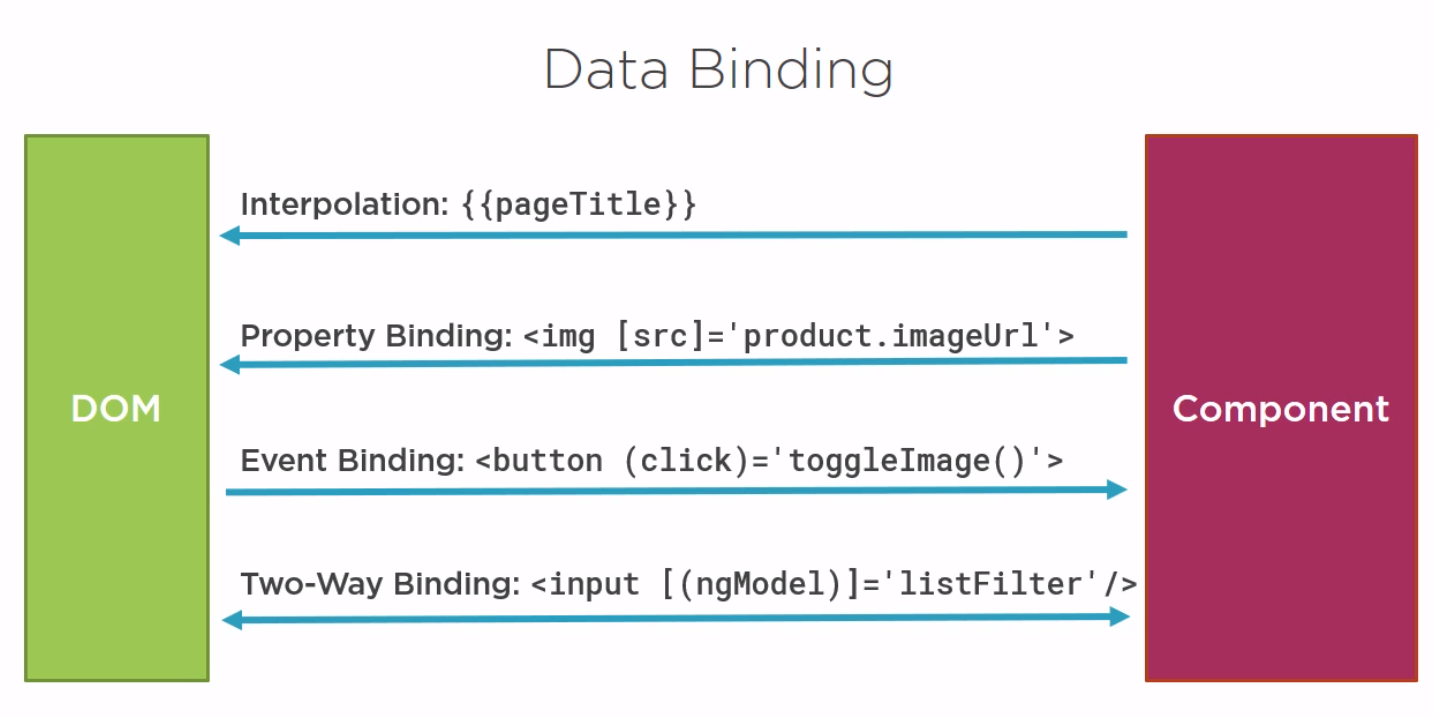
Two way Binding
For two way Binding we need [ngModel]
Transforming Data with Types
Transform bound proporties before display
Built-in pipes
(date, number, decimal, percent, currency, json, slice)
ex.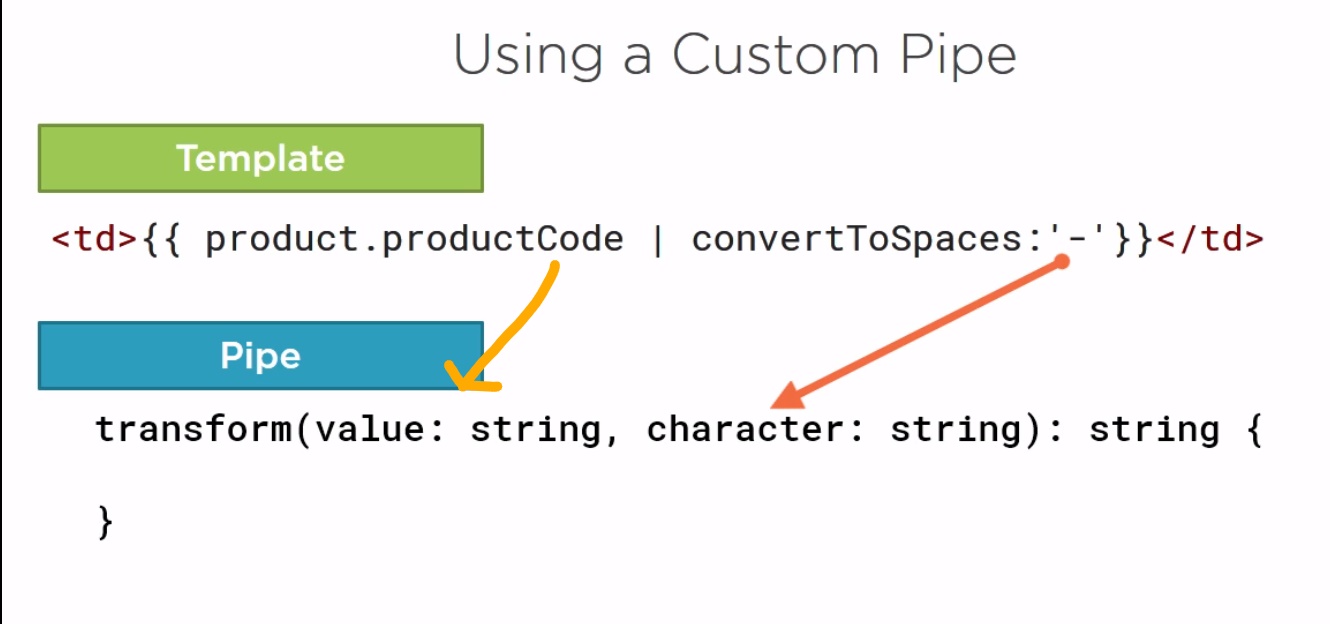 **TODO Add Building Custom Pipes notes
Built-in pipes
(date, number, decimal, percent, currency, json, slice)
ex.
                    {{product.productCode | lowercase}}

                    {{product.releaseDate}}

                    {{product.price | currency:'USD':'symbol':'1.2-2'}}
Custom pipes
**TODO Add Building Custom Pipes notes
What is Interface
A specification identifying a related set of properties and methods.
A class commits to supporting the specification by implementing the interface.
Use the interface as a data type
Development time only! (cause of typescring translate to ESC6-5)
A class commits to supporting the specification by implementing the interface.
Use the interface as a data type
Development time only! (cause of typescring translate to ESC6-5)
Interface Is a Specification
                    export interface IProduct {

                    productId: number;

                    productName: string;

                    productCode: string;

                    releaseDate: string;

                    price: number;

                    description: string;

                    starRating: number;

                    imageUrl: string;

                    calculateDiscount(percent: number): number;
                    }
Component Lifecycle
Create Render Create and render children Process changes Destroy
OnChanges: Perform action after change to input properties
OnDestroy: Perform cleanup
Component Lifecycle Hooks
OnInit: Perform component initialization, retrieve dataOnChanges: Perform action after change to input properties
OnDestroy: Perform cleanup
The best place to set default values for more complex properties is in the class constructor.
The class constructor is a function that is executed when the component is first initialized.
Nested Components
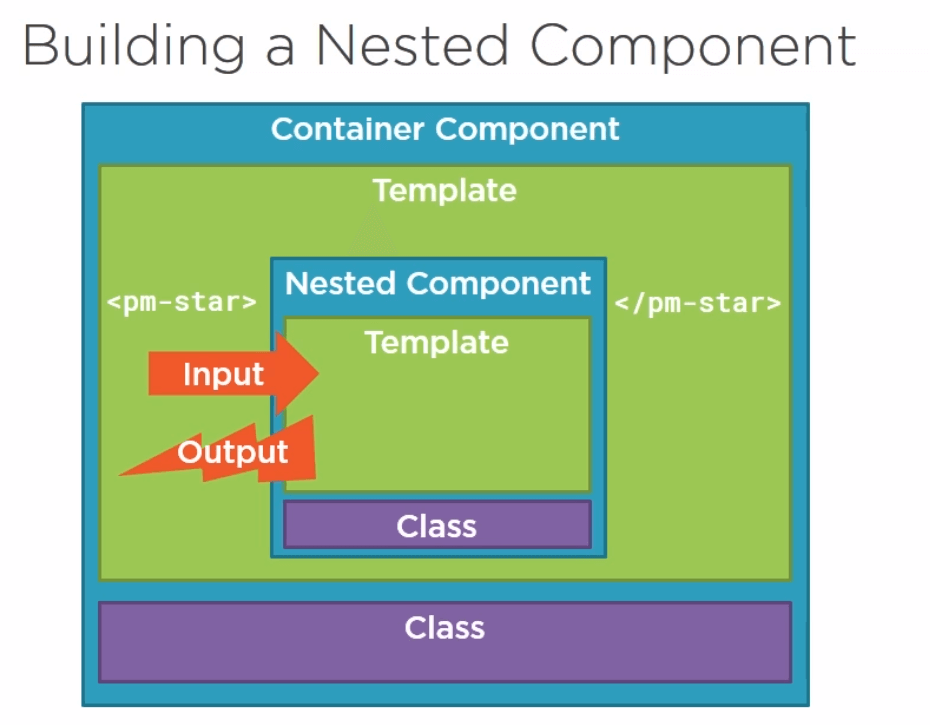
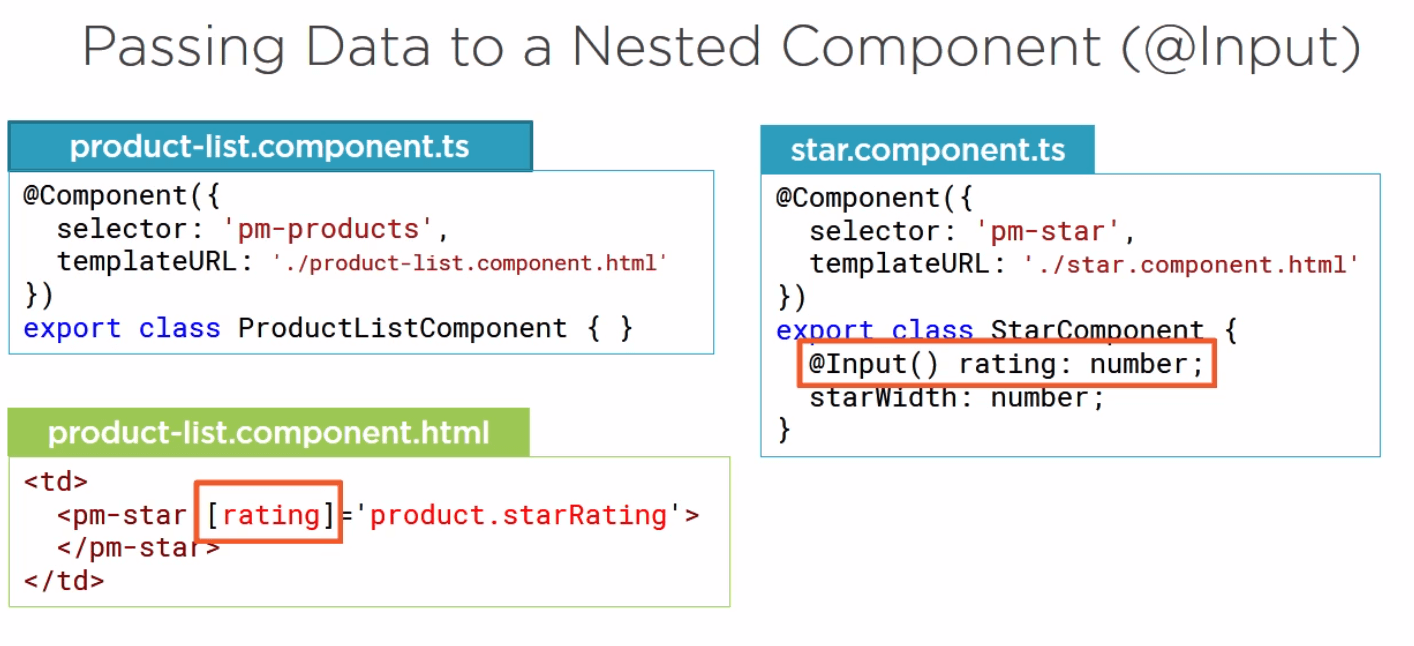
Passing Data to a Nested Component